chameleon
Software that grows its own API.
A near-blank web page that an AI agent turns into working software while you talk. When the agent needs a tool the page does not have, it adds one.
The new part
The agent didn't just use the app. It added to it.
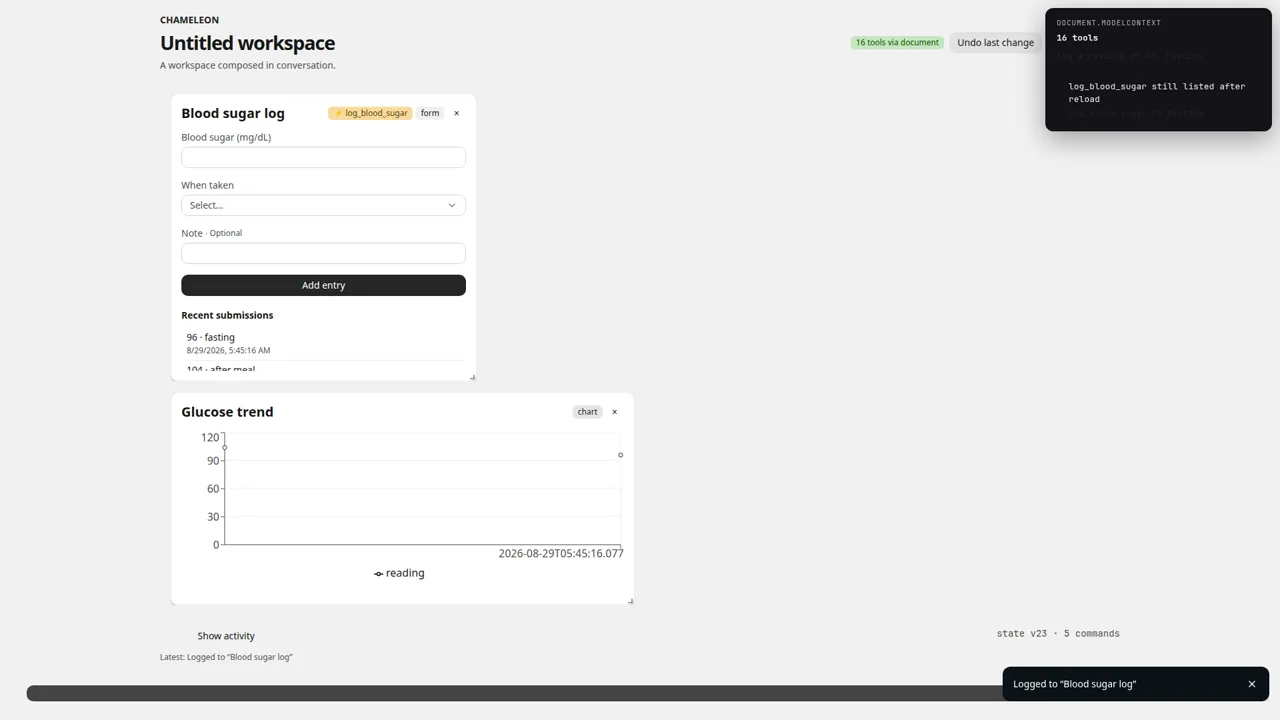
When the agent builds a form, it can call create_form_tool.
Chameleon then registers a new WebMCP tool, such as log_blood_sugar.
The new tool takes the same fields as the form. One call adds one checked entry, and the tool is still there after a reload.
- reading
- number · required
- context
- enum · required
- note
- string · optional
Why it exists
Most software ships with a fixed set of features and a fixed set of actions an agent can take. When AI agents start to use software for people, that fixed surface becomes the limit.
We wanted to see what happens when the agent builds the app with you, and can add to the app's own tools when the job needs it.
What it does
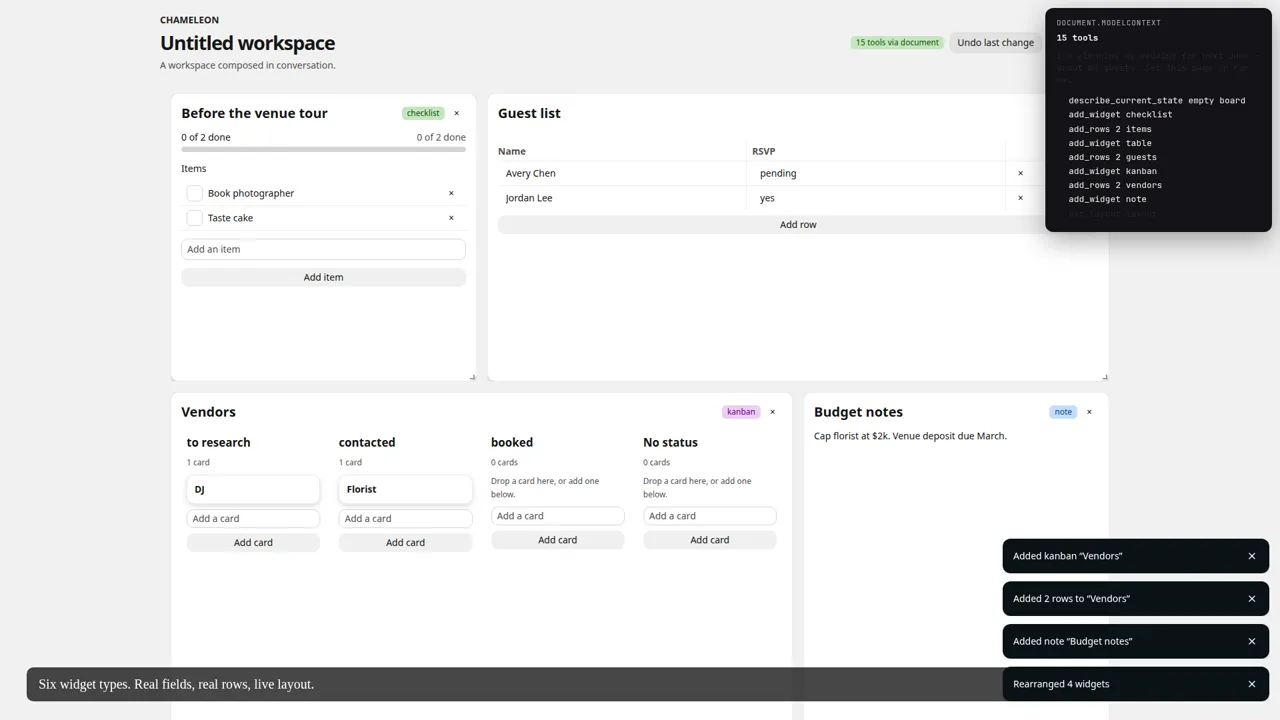
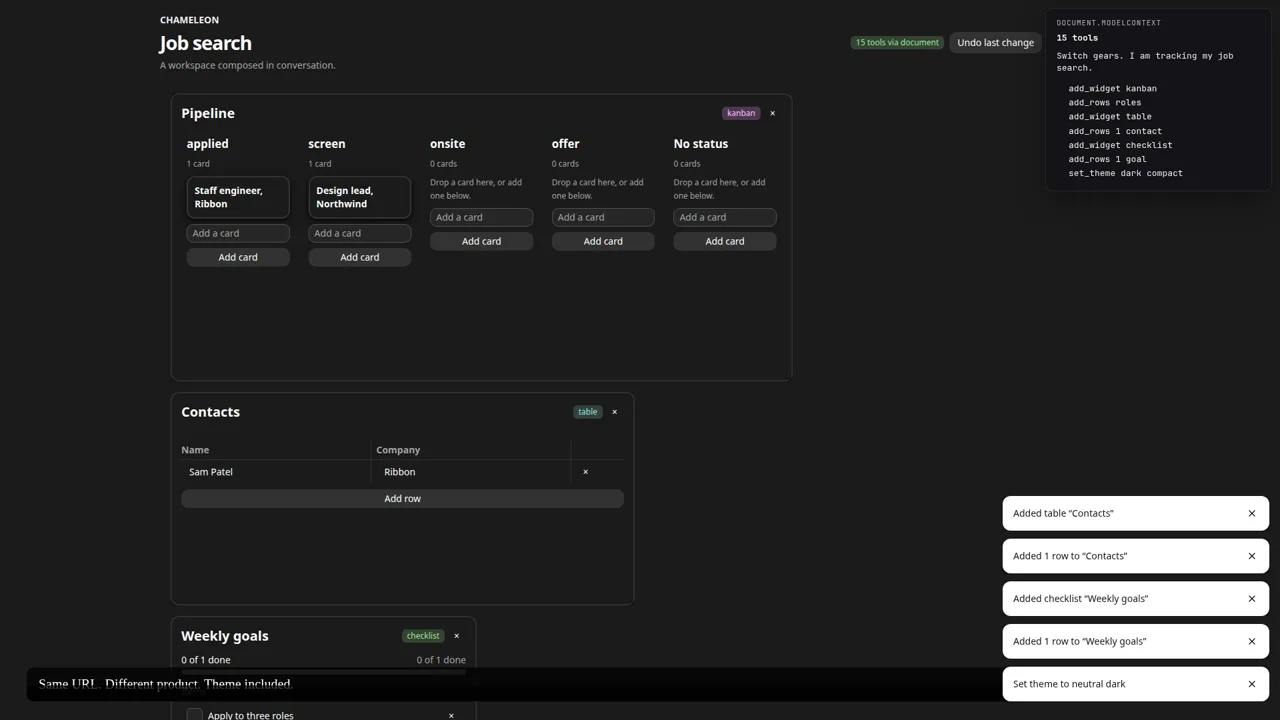
- Starts as a near-blank page. The agent builds working software from six widget types: table, kanban, checklist, chart, note, and form.
- Shares 15 tools with the agent through WebMCP (
document.modelContext) for layout, data, and styling. - Adds new tools on demand.
create_form_toolturns a form into a tool whose input comes from the form's fields. - Keeps you in control. You can drag, resize, and edit everything by hand, and the agent sees your changes.
One page, many apps
Same URL, three different apps. Each one came from a single sentence.
Under the hood
- One gate for every change. Human edits and agent tool calls go through the same Immer patch step, which writes the command log and powers undo.
- The agent gets the truth, not a guess. It reads the board and your recent edits first, and a call made on old data can be refused instead of overwriting your work.
- No backend and no account. The board, the log, and the added tools stay in your browser.
- React, Zustand, and TypeScript, served as a static app from Cloudflare Workers.
Why it matters
Agents will use your product whether you design for them or not. This is agent-ready design: give the agent real tools, keep a person in control, and keep one record of every change. If your product needs to work with AI agents, this is the same craft applied.
Try it
- Open the live app in a browser that supports WebMCP, such as ChatGPT's desktop-app browser or Chrome Canary with the WebMCP flag on.
- Ask your agent for an app in one sentence, or copy one of the sample prompts on the empty page.
- No agent? The app still works by hand in regular Chrome: add, drag, and edit widgets yourself.